Seedance 2.0 Review: ByteDance Video Model with Sound and Multi-Scene
Seedance 2.0 from ByteDance generates videos up to 15 seconds with synced sound and multiple shots in a single generation, up to 4K and with 9 references. Review, pricing and prompts.
Seedance 2.0 is ByteDance’s flagship video generation model. It creates a clip together with synchronized sound in a single generation and can build multi-scene clips — several shots within one video. In this Seedance 2.0 review we look at how to create video with sound online, which modes and resolutions are available, what a clip costs, and how to write prompts so the shots come together as one coherent story.
Most video models output a silent, single-shot clip, leaving sound and editing for later. Seedance 2.0 handles both at once: you describe the scene, the sound and the shot changes, and you get a finished segment of up to 15 seconds at a resolution from 480p to 4K.
The model is flexible about inputs: it works from text, animates photos, accepts up to 9 reference images and supports setting the first and last frame. That makes it handy for ads, music videos, short stories and social content in any format, from vertical 9:16 to cinematic 21:9.
What Seedance 2.0 can do
- Synced sound in one generation. Ambience, sound effects and character lines are created along with the picture, with no separate voiceover pass.
- Multi-scene clips. Several shots in one video — wide, close-up, detail — with transitions between them.
- Three input modes. Text-to-video, image-to-video (photo animation) and reference-to-video.
- Up to 9 reference images. Define the look of a character, object, location and style with several pictures.
- First and last frame. Set how the clip begins and ends, and the model generates the motion in between.
- Duration from 4 to 15 seconds, in one-second steps.
- Resolution: 480p, 720p, 1080p and 4K.
- Six aspect ratios: 16:9, 9:16, 1:1, 4:3, 3:4, 21:9.
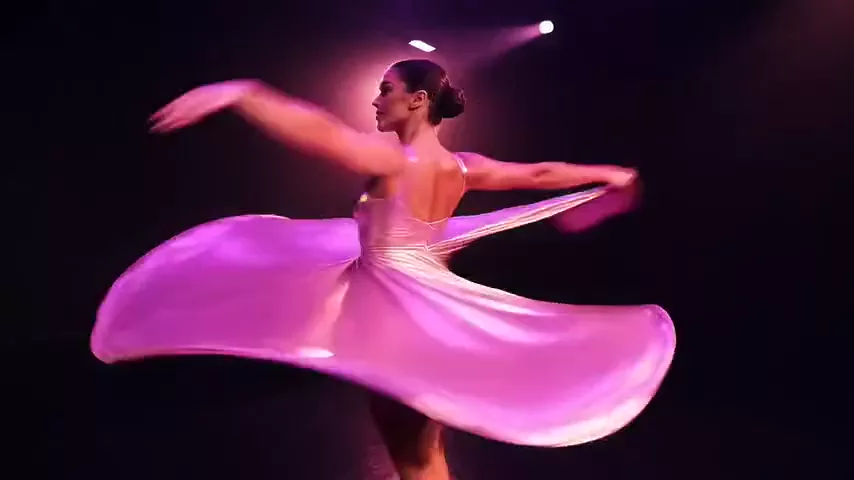
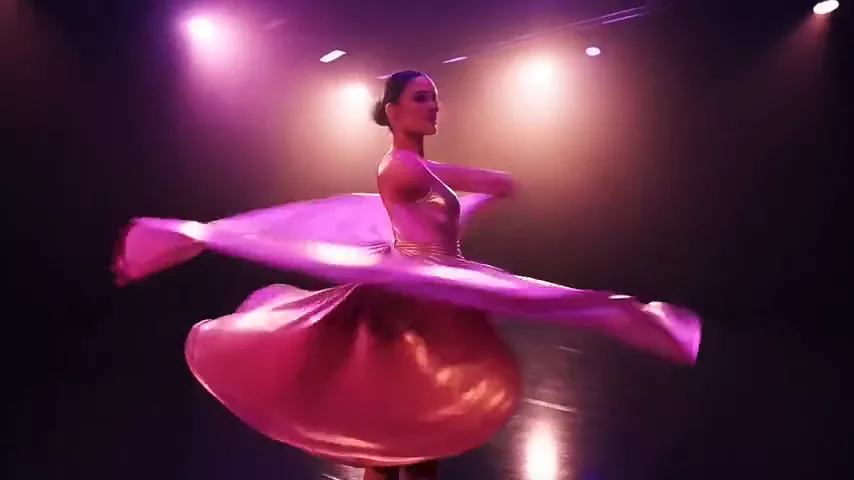
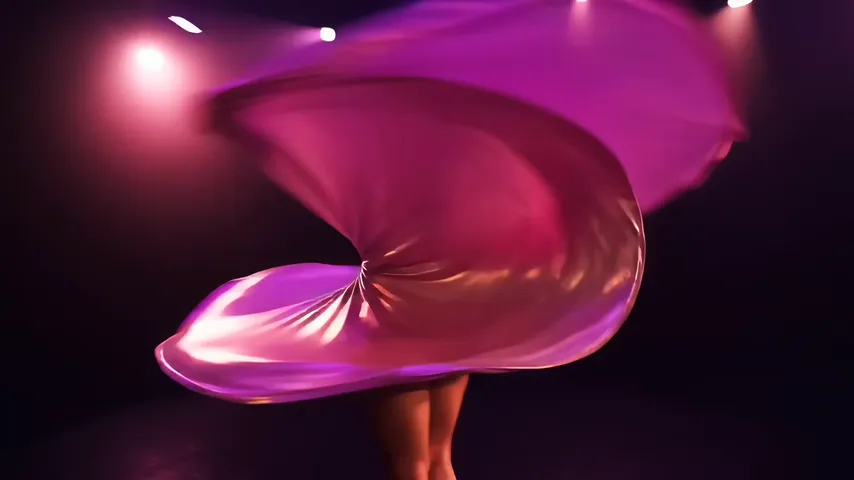
The model’s demo clip is a music video: a dancer spins in a dark studio under pink and magenta spotlights while the camera orbits around her, with dynamic motion blur. A scene like that tests complex human motion, lighting and camera work all at once.
The dashboard includes presets that highlight what Seedance 2.0 does best: character line with sound, scene with ambient sound and multi-shot scene, plus cinematic shot, product video, nature, photo animation, first-person vlog, food close-up and fantasy scene.
Seedance 2.0 specs
| Parameter | Value |
|---|---|
| Developer | ByteDance |
| Model type | Video generation with sound |
| Input modes | Text, image-to-video, reference-to-video |
| Duration | 4–15 seconds |
| Resolution | 480p, 720p, 1080p, 4K |
| Aspect ratios | 16:9, 9:16, 1:1, 4:3, 3:4, 21:9 |
| First and last frame | Yes |
| Reference images | Up to 9 |
| Photos of real people | Not accepted as references |
| Defaults | 5 seconds, 720p, 16:9 |
| Price | From 176 credits for a 4-second 720p clip (about $2.03–2.51) |
How to use Seedance 2.0 in WebTerra AI
- Sign up for WebTerra AI and top up your credits on the pricing page.
- Open the video generator in your dashboard and select Seedance 2.0.
- Choose a mode: text, photo animation or references. Set the first and last frame if you need them.
- Set the duration (4–15 s), resolution and aspect ratio for the platform you are publishing to.
- Write the prompt in English: scenes, motion, camera and, in a separate sentence, sound.
- Check the cost — it depends on duration and resolution — and start the generation.
- Watch the result with sound. Explore ideas at 480p or 720p and render the final version at a higher resolution.
Other video models to compare are collected on the AI video generation page.
Seedance 2.0 pricing
The cost of a 4-second 720p clip on each plan:
| Plan | Credits | Cost in USD |
|---|---|---|
| Starter | 196 | about $2.51 |
| Pro | 186 | about $2.24 |
| Ultra | 176 | about $2.03 |
Pricing is per second and depends on resolution. The base rate (before plan discounts) is roughly 23 credits per second at 480p, 51 at 720p, 116 at 1080p and 264 at 4K. In other words, a second of 4K costs more than ten times as much as a second of 480p, so drafts are best done at low resolution. The dashboard shows the exact amount before you start.
Approximate base cost in credits for common durations (before plan discounts, rounded):
| Resolution | 5 seconds | 10 seconds | 15 seconds |
|---|---|---|---|
| 480p | about 114 | about 228 | about 341 |
| 720p | about 257 | about 514 | about 771 |
| 1080p | about 579 | about 1,158 | about 1,736 |
| 4K | about 1,321 | about 2,642 | about 3,963 |
On the Pro and Ultra plans the actual charge is lower thanks to the plan discount. The 60 free credits you get on sign-up are not enough for a Seedance 2.0 clip — even the shortest 480p clip costs more. Use them to prepare starting frames or references with image models, and top up for the video itself. Details are on the WebTerra AI pricing page.
Prompt examples for Seedance 2.0
Write prompts in English. With this model it pays to describe not only the picture but also the sound, and for multi-scene clips, the order of shots.
Demo: music video
The prompt behind the model’s demo clip:
Music video: a dancer spinning in a dark studio under pink and magenta spotlights, camera orbiting around her, motion blur, energetic, no text, no captions, no watermark
Character line with sound
Medium shot of a young chef in a busy restaurant kitchen, he looks at the camera and says: "Tonight we cook something special." Sounds of sizzling pans and clattering dishes in the background, warm light, no text
Scene with ambient sound
A lighthouse on a rocky cliff during a storm at night, waves crashing below, heavy rain and howling wind, the beam of light sweeping across the sea, cinematic, no text, no watermark
Multi-shot scene
List the shots in order and the model assembles them into one clip:
Shot 1: wide shot of a cyclist riding through a misty mountain road at sunrise. Shot 2: close-up of the wheels splashing through a puddle. Shot 3: the cyclist stops at the top and looks at the valley. Sound of wind, tires on wet asphalt and birds. No text
Product video
Luxury wristwatch rotating slowly on a black reflective surface, light sweeping across the polished steel, soft mechanical ticking sound, premium commercial style, no text, no watermark
First and last frame
Upload two images and describe the transition between them:
Smooth transition from the empty room to the fully furnished living room, furniture appearing piece by piece, camera slowly pushing forward, soft ambient sound
Tips for prompting Seedance 2.0
Give sound its own sentence
The model generates audio alongside the picture, so give it cues: what is heard in the background, which effects accompany the action, whether anyone speaks. A dedicated sentence about sound makes the result more predictable.
Number your shots
For multi-scene clips, a “Shot 1… Shot 2… Shot 3…” format helps the model grasp the structure. Match the number of shots to the duration: the shorter the clip, the fewer shots you should describe, or each one will be too brief.
Keep lines short and in quotes
If a character speaks, put the line in quotation marks and keep it short. A long monologue will not fit naturally into the clip.
References without real faces
The model does not accept images with real people’s faces. For characters, use generated or illustrated looks; references for objects, locations and style have no such restriction.
Draft at 480p, finish at 1080p or 4K
The price gap between resolutions is large. Work out the prompt, sound and shot structure at a cheap resolution, and spend on an expensive render only once the idea is proven.
Pick the format for the platform
9:16 for Reels, Stories and Shorts; 1:1 and 4:3 for feeds; 16:9 for YouTube and websites; 21:9 for cinematic scenes.
Use cases: who Seedance 2.0 is for
- Advertising and brands — product videos with several shots and sound, without a separate edit.
- Musicians and music video makers — dynamic scenes with camera moves and lighting.
- Social media and Reels — vertical clips up to 15 seconds with sound out of the box.
- Storytelling and short fiction — multi-scene clips with character dialogue.
- E-commerce — product videos in formats for marketplaces and social platforms.
- Designers and architects — first-to-last-frame transitions, such as before-and-after renovations.
Workflow: from draft to final
An efficient setup: first prepare character and location references with image models, then make two or three short 480p drafts to settle the shot structure and sound. Once the scene works, rerun the same prompt at 1080p or 4K with the duration you need. That way the expensive render happens only once, for an idea you have already tested.
Seedance 2.0 compared with other models
| Model | Strength | When to choose it |
|---|---|---|
| Seedance 2.0 | Sound and multi-scene in one generation, up to 15 s, up to 4K | Finished segments with several shots and sound |
| Veo 3.1 | 4K, with sound | An alternative for premium clips with sound |
| Kling O3 Pro | Up to 15 s, cinematic | Long cinematic scenes |
| Kling 2.6 Pro | Sound out of the box | Clips with sound from another developer |
| Veo 3.1 Lite | Budget Veo, 1080p | When the budget is tight |
Seedance 2.0 stands out for combining synced sound, multi-scene output and flexible references. If you want an alternative with native audio, read our Veo 3.1 review. For long cinematic scenes, compare it with Kling O3 Pro. Another option with sound is Kling 2.6 Pro.
Limitations
- No real faces. The model always rejects references with real people’s faces, so you cannot animate your own selfie.
- High cost at high resolution. 1080p and especially 4K are much more expensive, so test ideas at low resolution first.
- 15 seconds maximum. Longer videos have to be assembled from several generations.
- Up to 9 references. In complex scenes with many characters and objects, you will need to choose the most important ones.
- Free credits do not cover a clip. You need to top up before your first generation.
FAQ
How much does Seedance 2.0 cost?
A 4-second 720p clip costs 176–196 credits depending on your plan, roughly $2.03–2.51. Longer clips and higher resolutions cost more.
Does the model generate sound?
Yes, synchronized sound is created in the same generation as the video.
What are the maximum duration and resolution?
Up to 15 seconds and up to 4K.
Can I animate a photo of a person?
The model does not accept photos of real people. You can use generated or illustrated characters, as well as photos of objects and locations.
What is a multi-scene clip?
A video made of several shots — for example, a wide shot, a close-up and a detail — generated in one go, with transitions between scenes.
Which formats are supported?
16:9, 9:16, 1:1, 4:3, 3:4 and 21:9.
Seedance 2.0 is for creators who want finished segments with several shots and sound rather than isolated silent frames. Open the video generator in WebTerra AI, start with a 480p draft and take the idea all the way to a high-resolution final.
Try AI models yourself
Models for video, images and audio in one place — 60 credits free when you sign up
Start for free