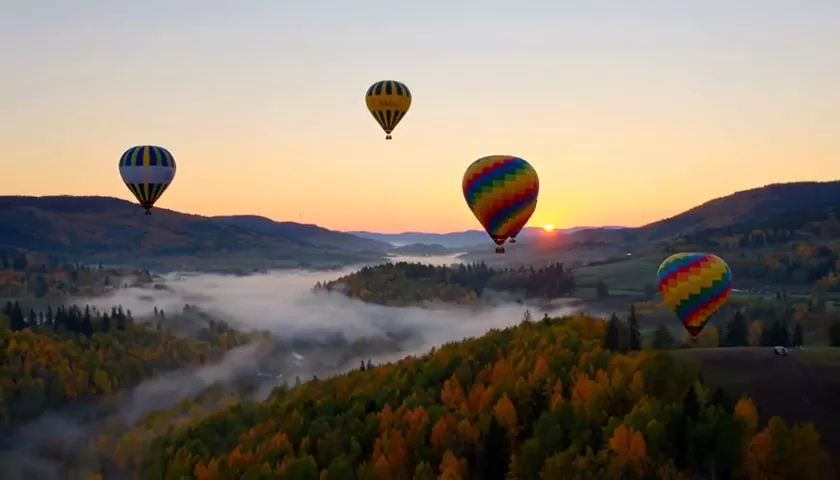
FLUX.2 Pro Review: Photorealistic Images and Prompt-Based Editing
FLUX.2 Pro by Black Forest Labs creates photorealistic images and edits photos from text with up to 4 references. What it does, what an image costs and how to write prompts for it.
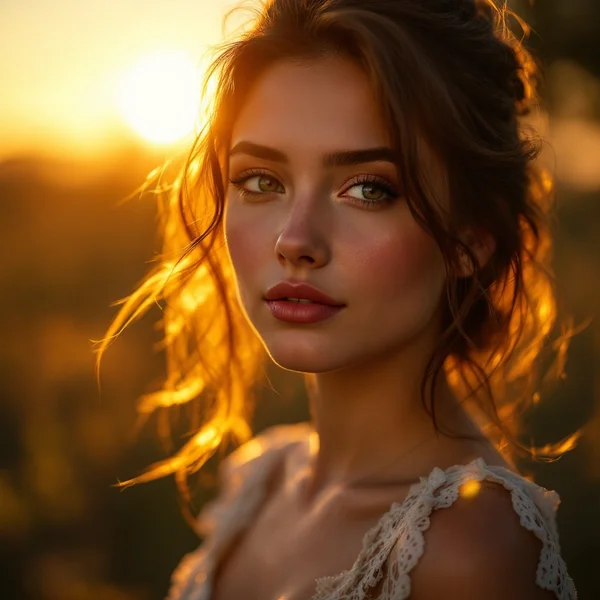
FLUX.2 Pro is an image generation model by Black Forest Labs that specializes in photorealism, portraits and artistic styles. It creates images from a text prompt and edits uploaded photos from a description, accepting up to 4 reference images. In this FLUX.2 Pro review we cover what the model can do, how to use FLUX.2 Pro online in WebTerra AI, FLUX.2 Pro pricing per image and how to write prompts that give predictable results.
Black Forest Labs is the team behind the FLUX family, which is widely chosen for its realistic rendering of light, skin and materials. FLUX.2 Pro continues that line, and in the WebTerra AI catalog it is tagged as an all-rounder: it handles magazine-style portraits, product shots, interiors and concept art equally comfortably.
Who benefits most? Marketers who need product images without a photoshoot, social media managers hunting for daily visuals, designers building mood boards and concepts, and small business owners who want good-looking pictures for their website for a few cents each.
What FLUX.2 Pro can do
The model has two modes.
- Text to image. Describe a scene in words and the model draws it from scratch. Its strengths: realistic people, natural light and textures such as fabric, skin, metal and food.
- Prompt-based editing (image to image). Upload one to four images and describe what to change or how to combine them — move a product into a new setting, change a portrait background, merge an object with the style of another reference.
A few more details:
- Photorealism and portraits are the model’s core profile — exactly what its short description highlights.
- Artistic styles. Beyond photos, it handles concept art, fantasy and cinematic stylization.
- Up to 4 references in editing mode — enough to show the object, the scene and the mood you want.
- Safety checker on by default, filtering out unacceptable content.
- Ready-made presets: cinematic portrait, product shot, landscape, food photography, social media creative, interior, fashion editorial, lifestyle, architecture, fantasy and concept art.
The two modes work well together. A typical workflow: generate a base image from text, pick the strongest variation, then upload it as a reference and ask for targeted changes — a different background, another season, a new color of the product. Because each step is cheap, you can explore several directions before settling on the final visual, and keep a consistent look across a whole series.
FLUX.2 Pro specs
| Parameter | Value |
|---|---|
| Developer | Black Forest Labs |
| Type | Image generation and editing |
| Input modes | Text; image + text |
| References | Up to 4 images |
| Profile | Photorealism, portraits, artistic styles |
| Safety checker | On by default |
| Price per generation | 4 credits for a 1024×1024 image (about $0.05) |
How to use FLUX.2 Pro in WebTerra AI
- Sign up or log in — new accounts get 60 free credits.
- Open the image generator in your dashboard and pick FLUX.2 Pro from the model list.
- To create an image from scratch, write a prompt. To edit a photo, upload one to four references and describe the changes.
- Optionally start from a preset — it gives you a solid prompt base to extend with your own details.
- Run the generation. You can view and download the result, or use it as a reference for the next iteration.
- If the result is almost right, refine the prompt rather than rewriting it from scratch — it is easier to control what changes.
All image models are collected on the AI image generation page, where you can compare their strengths and prices.
FLUX.2 Pro pricing
Cost of one 1024×1024 image on each plan:
| Plan | Credits | Price in USD |
|---|---|---|
| Starter | 4 | about $0.051 |
| Pro | 4 | about $0.048 |
| Ultra | 4 | about $0.046 |
The 60 free credits on sign-up cover about 15 images — enough to try several presets, test editing with references and learn how the model responds to your prompting style. Credit packs are described on the WebTerra AI pricing page.
At around five cents an image, FLUX.2 Pro is one of the more affordable models in the catalog, which makes it practical to generate several variations and pick the best one without worrying about the budget.
FLUX.2 Pro prompt examples
Cinematic portrait
Cinematic close-up portrait of a middle-aged fisherman with a weathered face, soft golden-hour light from the left, shallow depth of field, film grain, muted teal and orange palette, 85mm lens look
A dramatic portrait with film-style lighting: the light source, lens and palette are all specified.
Product shot for a marketplace
Product photo of a matte black ceramic coffee mug on a light oak table, soft diffused window light, clean minimal background, subtle shadow, high detail, e-commerce style
A clean product image for a marketplace listing or online store.
Food photography
Top-down food photography of a bowl of ramen with a soft-boiled egg, scallions and chili oil, chopsticks on a dark slate surface, natural daylight, steam rising, magazine style
An appetizing dish for a menu, delivery app or Instagram.
Interior
Scandinavian living room with a light grey sofa, large window with sheer curtains, indoor plants, warm wooden floor, morning sunlight, interior design magazine photo
A designer-style space for a presentation or a renovation blog.
Fashion editorial
Fashion editorial photo of a woman in an oversized camel coat walking across a city street, motion in the coat, overcast soft light, magazine-style composition, full body shot
A fashion-magazine look for a lookbook or banner.
Editing with references
Place the sneaker from the first image on a wet concrete street at night, neon reflections in puddles, keep the sneaker design, colors and logo unchanged
Moving a product into a new scene while preserving how it looks — the prompt says clearly what to change and what to keep.
Architecture and exterior
Modern two-storey house with large glass windows and dark timber cladding, surrounded by pine trees, dusk with warm interior lights glowing, architectural photography, wide angle
A building for a project pitch, developer brochure or architecture studio website.
Tips for writing FLUX.2 Pro prompts
Subject, action, setting, light, style
Start with the essentials: who or what is in the frame, what is happening and where. Then add lighting and style. This order helps the model prioritize correctly.
Describe light like a photographer
Photorealism lives and dies by light. Phrases like “golden hour”, “soft diffused window light”, “rim light” or “overcast” do far more than a generic “beautiful lighting”.
Add photographic details
Shot type (close-up, full body), depth of field, film grain, high or low angle — all of these steer the look. The model understands the language of photography well.
When editing, say what to keep
With references, state explicitly what must stay the same: “keep the face unchanged”, “keep the logo and colors”. Otherwise the model may reinterpret something you wanted untouched.
Refer to references by order
With several uploads, write “the product from the first image”, “the style of the second image”. This tells the model the role of each file.
Generate series, not single shots
At around five cents per image it pays to run three or four variations of one prompt and pick the best. Then upload the winner as a reference and polish it with small refinements — this keeps a catalog or feed series consistent in style.
One idea per image
An overloaded prompt with a dozen objects and three styles produces chaos. Several simple generations beat one overly complex one.
Who FLUX.2 Pro is for
- Marketplaces and online stores. Product shots, lifestyle images with the product, new backgrounds for existing photos.
- Social media. Visuals for posts and stories, seasonal creatives, consistent image series.
- Advertising. Key visuals for banners and mockups for testing creatives before a real shoot.
- Restaurants and cafés. Food photography for menus, delivery apps and social media.
- Real estate and interior design. Room, exterior and concept visualizations for presentations.
- Fashion. Mood boards, lookbooks and shoot ideas.
- Games and publishing. Concept art, fantasy scenes and book illustrations.
FLUX.2 Pro vs other image models
| Model | Profile | When to choose it |
|---|---|---|
| FLUX.2 Pro | Photorealism, portraits, up to 4 references | All-round realistic images and prompt-based editing |
| FLUX 1.1 Pro Ultra | 4 MP, no upscaling | You need high resolution straight away |
| Nano Banana 2 | 4K, text in images | The image must contain legible lettering |
| FLUX Kontext Pro | Targeted photo edits | Change one detail without touching the rest |
| Ideogram V3 | Posters and flyers | Typography and poster design |
FLUX.2 Pro is strongest where a realistic photo is the goal: people, products, food, interiors. If the image needs text — a logo, packaging copy or a poster headline — read our Nano Banana 2 review or look at Ideogram V3. For a precise fix to an existing photo where only one detail should change, FLUX Kontext Pro is more convenient. And when you need high resolution without upscaling, consider FLUX 1.1 Pro Ultra.
Limitations and what to know
- Text in images is not the model’s specialty. Use dedicated models for lettering and logos.
- Maximum of 4 references in editing mode.
- Safety checker is on: requests for unacceptable content will be rejected.
- Price is quoted for 1024×1024. Other settings may change the cost — check the amount the dashboard shows before you generate.
- Image rights. Only upload references you are allowed to use, and do not create misleading images of real people.
FAQ
How much does one FLUX.2 Pro image cost?
4 credits for a 1024×1024 image on any plan — roughly $0.05.
Can I edit my own photos?
Yes. Upload one to four images and describe the changes in text: a different background, a new scene, or a mix of an object and a style.
How many images do the free credits cover?
60 credits are enough for about 15 images.
Is it good for logos?
For logos with lettering, Nano Banana 2 or Ideogram V3 are better choices, as they specialize in text rendering.
How is FLUX.2 Pro different from FLUX 1.1 Pro?
The catalog describes FLUX 1.1 Pro as a proven classic, while FLUX.2 Pro is positioned as an all-rounder with photorealism and prompt-based editing with up to 4 references.
Do I need prompting experience?
No. Start with a preset, then add details about the subject, light and style. The tips above cover everything you need for consistent results.
FLUX.2 Pro is a dependable choice when you need a realistic image for a few cents: a portrait, a product, a dish or an interior. Claim your 60 free credits and generate your first image in WebTerra AI.
Try AI models yourself
Models for video, images and audio in one place — 60 credits free when you sign up
Start for free