Ideogram V3 Review: Posters, Logos and Crisp Text in Images
Ideogram V3 creates posters, covers and logos with crisp text inside the image. We cover what it does, what it costs, how to prompt it and how it compares with other models.
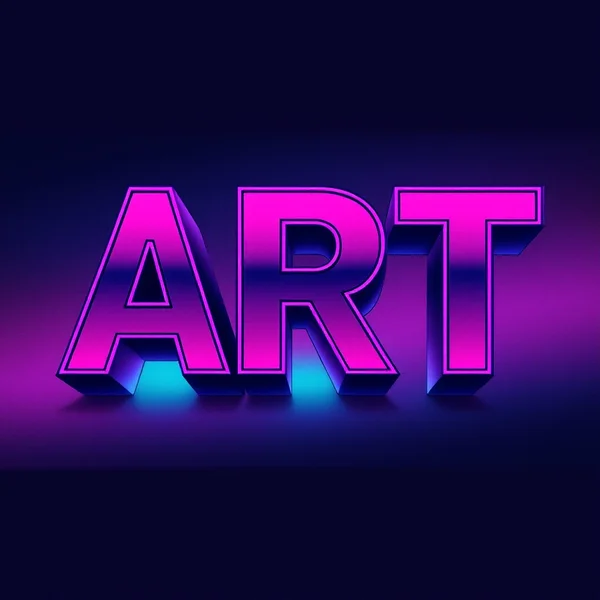
Ideogram V3 is an image generation model from Ideogram that shines exactly where most image models stumble: typography. A poster with a big headline, a book cover with a title, a logo with legible lettering, an infographic with labels — these are the jobs people pick it for. In this Ideogram V3 review we cover what the model can do, what a generation costs in WebTerra AI, how to write prompts with text, and when another model is the better choice.
Ideogram as a company is best known for reliable text rendering in images, and the third version continues that line. It is not limited to lettering, though: the dashboard includes presets for portraits, product shots, landscapes, food photography, interiors and fashion.
The model is useful for designers, social media managers, marketers, event organizers, bloggers and small business owners — anyone who regularly needs visuals with words on them. Ideogram V3 runs online in your browser, with nothing to install.
What Ideogram V3 can do
The model’s description in the WebTerra AI catalog focuses on the essentials: typography, posters, covers and crisp text inside images. In practice, the words from your prompt appear in the picture as part of the design, not as letter-like squiggles.
- Text-to-image generation. The main mode: you describe the image in words.
- A reference image. You can attach one image to your request as a guide.
- Text in the image. Headlines, slogans, brand names, diagram labels.
- Posters and covers. Event posters, book and podcast covers, promo artwork.
- Logos with lettering. Wordmarks and combination logos with readable text.
- Diagrams and infographics. Clear illustrations with labels.
- Classic genres. Portraits, product shots, landscapes, food, interiors, fashion.
Ready-made presets in the dashboard suggest scenarios: “Cinematic portrait”, “Product shot”, “Landscape”, “Food photography”, “Social media creative”, “Interior”, “Text logo”, “Poster with text”, “Diagram or infographic” and “Fashion editorial”. A preset fills in a working prompt template that you can extend with your own text and details.
Ideogram V3 specs
| Parameter | Value |
|---|---|
| Developer | Ideogram |
| Type | Image generation |
| Input mode | Text (text-to-image) |
| Reference images | Up to 1 |
| Strengths | Typography, posters, covers, text inside images |
| Size used for pricing | 1024 × 1024 |
| Price per generation | 9–10 credits (about $0.10–0.13 depending on plan) |
How to use Ideogram V3 in WebTerra AI
- Sign up or log in to the image generation dashboard — new users get 60 free credits.
- Pick Ideogram V3 from the model list or find it on the AI image generation page.
- Choose a preset such as “Poster with text”, or write a prompt from scratch.
- Put the text that should appear in the image in quotes, and briefly describe where it goes and what typeface it uses.
- Attach one reference image if you need it.
- Run the generation and check the lettering: every character, punctuation mark and line break.
- If something is off, refine the prompt (shorten the text, change the font description) and generate again. You can download the final image or enlarge it with an upscaler.
Ideogram V3 pricing
Ideogram V3 is one of the more affordable image models in the catalog. Prices are for a square 1024 × 1024 image.
| Plan | Credits per generation | Price in USD |
|---|---|---|
| Starter | 10 | about $0.13 |
| Pro | 9 | about $0.11 |
| Ultra | 9 | about $0.10 |
The 60 free credits you get on sign-up cover six generations — enough to try several poster variants and see how the model handles your text. A full plan comparison is on the WebTerra AI pricing page.
Prompt examples
Write prompts in English and put any text meant for the image in quotes. Here are ready-to-use examples.
Event poster
Bold concert poster with the headline "SUMMER NIGHTS" in large white condensed sans-serif letters at the top, silhouette of a crowd under purple stage lights, small text "July 12" at the bottom, high contrast, modern graphic design
A classic event poster: a big headline, an atmospheric image and a small date line.
Wordmark logo
Minimalist logo for a coffee shop called "Bean There", clean black lettering with a small coffee bean icon, white background, flat vector style, centered
A simple logo on white — handy as a sketch for a designer to develop further.
Book cover
Book cover design, title "THE QUIET FOREST" in elegant serif typography, misty pine forest at dawn, muted green and gold palette, author name "Anna Koval" at the bottom
A cover with a title and author name — make sure both lines come out clean.
Social media creative
Instagram post graphic with the text "-30% THIS WEEK" in bold yellow letters on a deep blue background, sneakers floating in the center, dynamic shadows, clean commercial style
A sale banner for a post or story: short text, contrasting colors, product in the middle.
Infographic
Clean infographic showing three steps labeled "Plan", "Create", "Publish" connected by arrows, flat icons, soft pastel colors, white background
A clear three-step diagram for a presentation or an article.
Food photo with lettering
Overhead photo of a rustic pizza on a wooden board, fresh basil, warm natural light, handwritten chalk text "Pizza of the Day" on a small blackboard next to it
A dish for a menu or Instagram, with text that sits naturally in the scene.
Tips for prompting Ideogram V3
Put the text in quotes
Quotes tell the model exactly which words to render. Without them, the model may read a phrase as part of the scene description rather than as lettering.
Shorter text is more reliable
A two-to-five-word headline comes out far more consistently than a paragraph. If a poster needs a lot of information, generate the base with a short headline and add small print in a graphics editor.
Describe the typeface and placement
Specify the letter style (bold sans-serif, elegant serif, handwritten, retro neon), the color and the position (at the top, centered, at the bottom). The clearer the layout, the fewer surprises.
Proofread every character
Even a model strong at typography occasionally gets individual characters wrong. Read the result carefully before publishing, especially brand names, dates and prices.
Latin script is the safest bet
The model is most consistent with Latin letters. If you need text in another script, test it on short words and check every character carefully.
Set a design style
Phrases like “modern graphic design”, “Swiss style poster”, “vintage travel poster” or “flat vector logo” establish a coherent aesthetic that text fits into more naturally.
Workflow: from idea to finished poster
To avoid spending credits on random attempts, it helps to work in short steps.
- Decide on the format and the main message. What should people read first? Usually it is the event name, the offer or the brand — that line becomes the quoted headline.
- Build the prompt from a template. Design type (poster, book cover, logo) → quoted text → typeface and placement → main image → palette → style.
- Make two or three variations. A single generation is cheap, so comparing a few layouts pays off more than polishing the first one.
- Proofread the lettering. Pick the variant with flawless text, even if another looks slightly nicer: fixing a letter is harder than generating again.
- Finish it off. Add small print, contact details and QR codes in a graphics editor, and upscale the image for print.
Use cases
- Social media and advertising — sale banners, story covers, creatives with short slogans.
- Event organizers — posters for concerts, conferences and parties.
- Small businesses — logo, signage, menu and sticker drafts.
- Authors and publishers — book covers, podcast art, YouTube thumbnails.
- Education and content — diagrams, infographics and labeled illustrations for articles and slides.
- Marketplaces — product shots and infographic cards for listings.
Comparison with other models
WebTerra AI has many image models, each with its own profile. Here is how Ideogram V3 compares with its closest neighbors.
| Model | Profile | When to choose it |
|---|---|---|
| Ideogram V3 | Posters, typography, text in images | Crisp lettering and a designed layout matter most |
| Nano Banana 2 | 4K, text in images | You need higher resolution or editing with text |
| Recraft V3 | Vector graphics | You need vector graphics and icons |
| FLUX.2 Pro | Photorealism, portraits | Photorealistic people and scenes without text are the priority |
| Seedream 4.0 | Anime, illustrations | You want illustrations and anime styles |
The honest takeaway: if the image has no text and maximum photorealism matters, compare results with FLUX.2 Pro. For vector logos that will be scaled later, Recraft V3 is the more logical pick. But for posters, covers and creatives built around a headline, Ideogram V3 is a natural choice — at a low price, too.
Limitations
- Long text raises the error rate. Paragraphs and small print are less consistent than short headlines.
- Non-Latin scripts need checking. Text in other alphabets should be tested and proofread carefully.
- Raster output. A logo comes out as an image, not a vector file; for professional use it usually needs to be redrawn or vectorized.
- One reference. You can attach only one guide image per request.
- Brand rights. Don’t use other companies’ trademarks and logos without permission.
FAQ
How much does Ideogram V3 cost?
A 1024 × 1024 generation costs 10 credits (about $0.13) on Starter and 9 credits on Pro (about $0.11) and Ultra (about $0.10).
Can I try Ideogram V3 for free?
Yes, the 60 free credits you get on sign-up cover six generations.
Can it write text in languages other than English?
You can try, but the model is most consistent with Latin script. For other alphabets, keep words short and check the result closely.
Is Ideogram V3 good for logos?
For sketches and exploring ideas, yes — there is even a “Text logo” preset. For a final brand identity, have a designer refine the result.
Can I add my own image?
Yes, you can attach one reference image to a request.
How do I enlarge a finished poster for print?
Generate the image, then enlarge it with one of the upscalers in the WebTerra AI editor section.
Ideogram V3 is a practical tool for anyone who needs images with crisp text: posters, covers, banners and logos. Open the WebTerra AI dashboard, pick the “Poster with text” preset and make your first design with your free credits.
Try AI models yourself
Models for video, images and audio in one place — 60 credits free when you sign up
Start for free