FLUX 1.1 Pro Ultra Review: 4 MP Photorealism, No Upscaling
FLUX 1.1 Pro Ultra by Black Forest Labs generates 4-megapixel photorealistic images straight away, no upscaling. Features, pricing, ready prompts and tips.
FLUX 1.1 Pro Ultra is an image generation model from Black Forest Labs that produces 4-megapixel images straight away, with no upscaling, while keeping them photorealistic. If you prepare visuals for print, large banners or catalogs, that difference matters: the detail is created during generation instead of being invented by an upscaler afterwards. In this FLUX 1.1 Pro Ultra review we look at what the model does, how to use it online, what a single image costs and where it earns its keep.
Black Forest Labs is the team behind the FLUX family, which has become one of the most popular choices for photorealistic generation. The Ultra version is the line’s option for larger images: you set the size through the aspect ratio, and the model works out the resolution within 4 MP.
It is a good fit for photographers and designers, marketers, online store owners, architects, and anyone who needs more than a pretty picture for a story — an image with real headroom in detail. In WebTerra AI it runs in the browser, with nothing to install and no separate developer account.
What FLUX 1.1 Pro Ultra can do
- Text-to-image. Describe a scene and get a photorealistic image.
- Image-to-image. Upload one reference image for the model to build on: composition, color palette, mood.
- 4 MP with no upscaling. High resolution from the first generation — fine detail, fabric, skin and material textures.
- Size via aspect ratio. No need to type pixel dimensions: choose a format and the model returns a matching image. The default is a 1:1 square.
- Raw mode. The settings include a raw toggle (off by default). The developer positions it as a less polished, more natural look — useful when the image should feel like an ordinary photo rather than an ad render.
- File format. Results are saved as JPEG by default.
The dashboard offers presets for the most common jobs: cinematic portrait, product shot, landscape, food photography, social media creative, interior, fashion editorial, lifestyle photo, architecture and exterior, fantasy and concept art.
FLUX 1.1 Pro Ultra specs
| Parameter | Value |
|---|---|
| Developer | Black Forest Labs |
| Type | Image generation |
| Input modes | Text, image + text (image-to-image) |
| References | Up to 1 image |
| Resolution | 4 megapixels, no upscaling |
| Default aspect ratio | 1:1 |
| Default format | JPEG |
| Price per generation | 9–10 credits (about $0.10–0.13) |
How to use FLUX 1.1 Pro Ultra in WebTerra AI
- Sign up for WebTerra AI — you get 60 free credits.
- Open the image generator in the dashboard and pick FLUX 1.1 Pro Ultra.
- Choose a preset or write your own prompt.
- Set the aspect ratio for the job: 1:1 for a catalog, a vertical format for stories and posters, a horizontal one for banners.
- Optionally upload a reference image and switch on raw mode.
- Run the generation, review the result and download the file.
Tip: check the composition on one or two variants first, then refine the details. The price per image is moderate, so a few iterations are a normal part of the job.
FLUX 1.1 Pro Ultra pricing
Cost of one generation with default settings:
| Plan | Credits | Price |
|---|---|---|
| Starter | 10 | about $0.13 |
| Pro | 9 | about $0.11 |
| Ultra | 9 | about $0.10 |
The 60 free credits you get on sign-up cover about six FLUX 1.1 Pro Ultra images on the Starter plan. That is enough to test the model on your own tasks: a product shot, a portrait and a few banner variants. Compare credit packs on the pricing page.
FLUX 1.1 Pro Ultra prompt examples
Each prompt can be adapted to your own product or story.
Cinematic portrait of a middle-aged fisherman on a pier at dawn, weathered skin, knit sweater, soft golden side light, shallow depth of field, 85mm lens look
A cinematic portrait: 4 MP does justice to skin and knit texture.
Product shot of a matte ceramic coffee cup on a light oak table, soft window light, clean minimal background, subtle shadow, catalog style
A product shot for a marketplace or website.
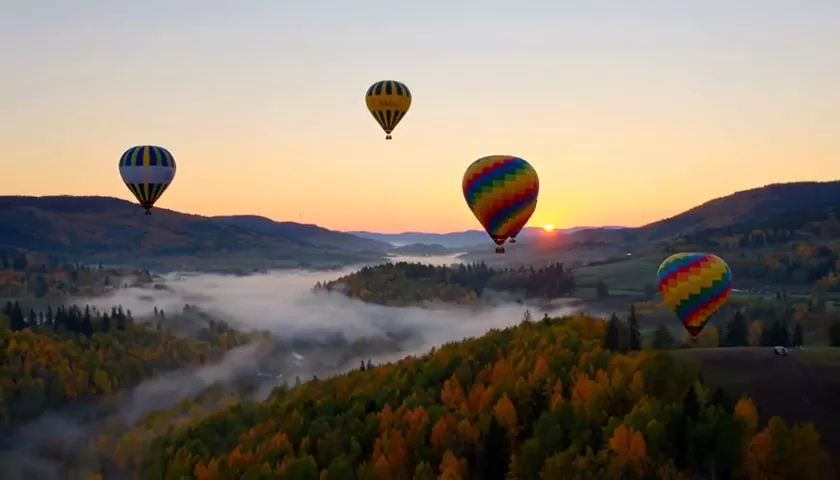
Wide landscape of misty mountains at sunrise, layered ridges, pine forest in the foreground, cinematic color grading
A landscape for a poster, a calendar or a website hero. Pick a horizontal aspect ratio.
Top-down food photo of fresh pasta with basil and parmesan on a rustic ceramic plate, linen napkin, natural daylight, appetizing detail
Food photography for a menu, delivery app or Instagram.
Scandinavian living room interior, large window, light wood floor, beige sofa, plants, morning sun, architectural photography
An interior for a design studio, a renovation pitch or a real estate listing.
Modern two-story house exterior at dusk, warm lights inside, landscaped garden, wide-angle architectural shot
Architecture and exterior for a project or a sale.
Tips for writing FLUX 1.1 Pro Ultra prompts
Describe it like a photographer
The model is tuned for photorealism, so it responds best to photographic language: light type (soft window light, golden hour, studio softbox), depth of field (shallow depth of field), angle (top-down, low angle, close-up) and lens character (wide-angle, 85mm look).
Make use of the resolution
At 4 MP it pays to specify materials: “brushed steel”, “linen texture”, “visible wood grain”, “fine skin pores”. At lower resolutions these details get lost; here they become visible and useful for print.
Choose the format before generating
Because the size is set by the aspect ratio, think about where the image will be used. Cropping a square into a 16:9 banner throws away pixels and composition; generate the right format from the start.
Try raw for natural shots
If the result looks too glossy, switch on raw. For lifestyle, documentary or film-photo looks it often gives a more natural feel. For ad catalogs, the standard mode may be the better fit.
Use the reference for mood and layout
In image-to-image mode the model takes one image into account. Use it to carry over the color palette, the light or the placement of objects, and describe in words what should change.
Change one thing at a time
When a result is close but not quite there, resist rewriting the whole prompt. Adjust a single element — the light, the angle or the background — and generate again. That way you learn which words actually move the image, and you build a reusable prompt template for future projects instead of starting from scratch every time.
FLUX 1.1 Pro Ultra in a real workflow
The most cost-effective way to use Ultra is as the final stage rather than for everything. A typical setup for an ad or catalog project looks like this:
- Explore ideas. Sketch out several variants of composition, light and angle. Speed and volume matter more than maximum detail at this point.
- Lock the prompt. Once you find a direction that works, write the prompt out in full: subject, setting, light, angle, materials, mood.
- Final frame in Ultra. Generate the image with FLUX 1.1 Pro Ultra in the format you need. If useful, add a reference from the previous stage to keep the composition.
- Polish. Small changes — an object’s color, removing a stray element, swapping the background — are easier in an editing model than by regenerating the whole frame.
This saves both credits and time: you run the pricier generation when you know exactly what you want. It is especially noticeable in batch work, such as consistent shots for dozens of catalog products — nail one “reference” frame first, then change only the product in the prompt.
Who FLUX 1.1 Pro Ultra is for
- Print. Posters, postcards, covers and catalogs, where resolution is critical.
- Marketplaces and online stores. Product shots, lifestyle images with the product, banners.
- Advertising. Outdoor media, large website banners, key visuals for campaigns.
- Architecture and interiors. Concept visualizations for client presentations.
- Restaurants and delivery. Food photos for menus and social media.
- Fashion and beauty. Magazine-style looks and mood boards.
- Games and publishing. Concept art and fantasy scenes for covers.
More image models are collected on the image generation page.
FLUX 1.1 Pro Ultra compared with other models
| Model | Strength | Choose it when |
|---|---|---|
| FLUX 1.1 Pro Ultra | 4 MP with no upscaling, photorealism | Print, large banners, detailed shots |
| FLUX 1.1 Pro | Proven classic | Everyday tasks where 4 MP is not needed |
| FLUX.2 Pro | Photorealism, portraits | Portraits from the newer FLUX generation |
| Nano Banana 2 | 4K, text in images | You need legible text in the image |
| Ideogram V3 | Posters and flyers | Typography, posters, event flyers |
| FLUX Kontext Pro | Targeted photo edits | You need to change a detail on an existing photo |
FLUX 1.1 Pro Ultra wins where resolution and realistic texture matter. If 4 MP is not essential, see our FLUX 1.1 Pro review; for portraits from the newer generation, read about FLUX.2 Pro. When the image needs text, Nano Banana 2 or Ideogram V3 are better choices. For targeted edits to a finished photo, use FLUX Kontext Pro.
FLUX 1.1 Pro Ultra limitations
- One reference. Image-to-image mode accepts a single image.
- Size via format. You cannot set exact pixel dimensions manually; you choose an aspect ratio.
- Not an editor. For targeted edits to an existing photo, dedicated editing models work better.
- Text in images. The model is built for photorealism; for layouts with lots of text, choose models that are strong at typography.
- Pricier than basic models. For drafts and quick ideas, a cheaper model may be more economical, with Ultra saved for final frames.
FAQ
What does “4 MP with no upscaling” mean?
The image is generated at high resolution from the start rather than created small and enlarged afterwards, so the detail is built in during generation.
How much does one image cost?
9–10 credits depending on the plan — roughly $0.10–0.13.
Can I upload my own photo?
Yes, image-to-image mode lets you add one reference image.
What file format do I get?
JPEG by default.
What is raw mode?
A toggle in the settings that gives a more natural, less processed look. It is off by default.
Is the model suitable for print?
Yes — that is exactly where 4 MP helps: there is headroom in detail for posters, postcards and catalogs.
Try FLUX 1.1 Pro Ultra online
If you need photorealistic images with plenty of detail for print, ads or catalogs, FLUX 1.1 Pro Ultra deserves a place in your toolkit. Claim your 60 free credits and create your first frames in the WebTerra AI dashboard.
Try AI models yourself
Models for video, images and audio in one place — 60 credits free when you sign up
Start for free