Nano Banana Pro Review: Google’s Premium AI Photo Editor
Nano Banana Pro is Google’s top image-editing model: complex edits from a text instruction, face preservation, up to 5 references and output up to 4K. Review, pricing and prompts.
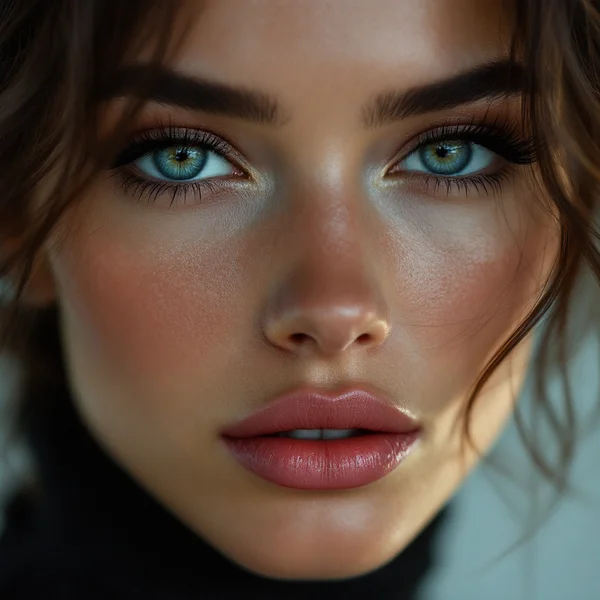
Nano Banana Pro is Google’s premium image-editing model and the senior member of the popular Nano Banana lineup. In this Nano Banana Pro review we look at how to edit photos online with a plain-text instruction, how the model keeps people’s faces intact through complex changes, what one edit costs, and when the Pro version is worth paying for versus a simpler tool.
The idea is simple: upload a photo and say what to change. Swap the background, change someone’s outfit, place a product into an attractive scene, colorize an old black-and-white print, switch the season or turn a portrait into anime — all with one sentence, without masks, layers or manual retouching.
The model’s strongest points are face preservation during edits, confident handling of complex changes that touch several parts of the image at once, support for up to 5 reference images, and output at up to 4K.
What Nano Banana Pro can do
The model works in image-to-image mode: one or more images plus a text instruction go in, and an edited image comes out.
- Edits by instruction. Change a single detail: clothing color, an object on the table, a facial expression, the text on a sign.
- Face preservation. The person stays recognizable even after a new outfit, background or style.
- Complex edits. Several changes at once — new background, different lighting and an extra object in one request.
- Up to 5 references. Combine several images: a person from one, clothing from another, a location from a third.
- Output up to 4K. Enough for print, large banners and detailed catalogs.
- Restyling. The same shot in a different art style — anime, watercolor, oil painting, 3D figurine.
The dashboard includes ten presets for this model: photo to anime, replace background, edit by instruction, restyle a photo, quality boost, colorize a black-and-white photo, change season or time of day, try on a new outfit, product in a scene, and collectible figurine — the trending format where the person in the photo becomes a figurine on a desk.
Nano Banana Pro specs
| Parameter | Value |
|---|---|
| Developer | |
| Model type | Instruction-based image editing |
| Input mode | Image-to-image |
| Reference images | Up to 5 |
| Output resolution | Up to 4K |
| Key features | Face preservation, complex multi-element edits |
| Price | From 22 credits per 1024×1024 image (about $0.25–0.31) |
How to use Nano Banana Pro in WebTerra AI
- Sign up for WebTerra AI and receive 60 free credits.
- Open the image generator in your dashboard and select Nano Banana Pro.
- Upload the photo you want to change. To combine sources, add up to five references.
- Pick a preset or write an instruction in English: what to change and what to keep.
- Check the cost in the dashboard and start the generation.
- Review the result. If the model changed too much, state explicitly which elements must stay as they were.
- Download the image or keep refining it with the next instruction.
Other image generation and editing models are collected on the AI image generation page.
Nano Banana Pro pricing
The cost of one 1024×1024 edit on each plan:
| Plan | Credits | Cost in USD |
|---|---|---|
| Starter | 24 | about $0.31 |
| Pro | 23 | about $0.28 |
| Ultra | 22 | about $0.25 |
This is a premium model, so each edit costs more than in basic editors. Higher resolutions are priced differently, and the dashboard shows the exact figure before you start. The 60 free credits cover two edits on the Starter plan — for example, a background swap for a product and an outfit change on a portrait, which is enough to judge how well the model keeps faces and details. See plans and credit packs on the WebTerra AI pricing page.
Prompt examples for Nano Banana Pro
Write instructions in English and be direct: what to change and what to keep. The examples below are based on the built-in presets.
Replace the background
Replace the background with a sunny Mediterranean terrace overlooking the sea. Keep the person, their face, pose and clothing exactly the same. Match the lighting to the new scene.
Try on a new outfit
Change the outfit to a tailored navy blue suit with a white shirt. Keep the face, hairstyle, body pose and background unchanged.
Product in a scene
Place this perfume bottle on a marble bathroom shelf next to fresh white flowers, soft morning light from a window, elegant and clean. Keep the bottle shape and label exactly as in the photo.
Colorize a black-and-white photo
Colorize this black-and-white photo with natural, realistic colors. Keep all faces, details and composition unchanged.
Change the season
Turn this summer street scene into a snowy winter evening with warm lights in the windows. Keep the buildings and composition the same.
Collectible figurine
Turn the person in the photo into a realistic collectible figurine standing on a desk next to its retail box with matching artwork, studio lighting, keep the facial features recognizable.
Combining several references
Use the woman from image 1, dress her in the jacket from image 2 and place her in the street from image 3. Keep her face exactly as in image 1.
Tips for writing Nano Banana Pro instructions
Say what to keep, not just what to change
Phrases such as “keep the face unchanged” or “keep the composition the same” help the model leave alone what matters to you — especially faces, logos and product shapes.
One change per sentence
The model handles complex edits well, but it helps to split the instruction into clear sentences: one for the background, one for the outfit, one for the lighting. If the result needs refining, you will know which part worked.
Number your references
When you upload several images, refer to them explicitly as “image 1”, “image 2” and so on. That removes ambiguity when similar objects appear in different photos.
Match the lighting
When replacing a background or placing a product in a scene, add “match the lighting” or describe the direction and quality of light, so the subject does not look pasted in.
Edit iteratively
Big transformations are easier in several steps: background first, then outfit, then details. Each step gives a controlled result, and you never lose a change that already worked.
Use good source photos
The edit can only be as good as what you feed it. A sharp, evenly lit photo where the face and product are clearly visible gives the model far more to preserve than a blurry, backlit snapshot. If the source is weak, it is worth taking a better picture before spending premium credits.
Use cases: who Nano Banana Pro is for
- Marketplaces and e-commerce — products in different settings, background swaps and seasonal listing variants without a new photo shoot.
- Fashion brands — virtual try-ons and lookbook variations.
- Social media and advertising — adapting one shot to several campaigns, plus trending formats like figurines and anime.
- Photographers and retouchers — complex edits that would take hours by hand.
- Family archives — colorizing old black-and-white photos.
- Designers and agencies — composites from several references and high-resolution mockups for presentations.
Scenario: a marketplace listing
A typical flow looks like this. Start with a product photo on any background, even one taken on a phone. Next, ask the model to place the product in a scene, describing the interior and lighting and asking it to keep the shape and label intact. Finally, create two or three scene variations for different seasons or audiences. One snapshot becomes a set of listing images that look like a professional shoot.
Scenario: a refreshed profile portrait
Upload an everyday photo and ask for a neutral studio background, a business suit and soft portrait lighting. The face stays yours, so the result works for a professional network profile or the “About us” page on your website.
Nano Banana Pro compared with other models
| Model | Strength | When to choose it |
|---|---|---|
| Nano Banana Pro | Premium editor, face preservation, up to 5 references, 4K | Complex edits, portraits, commercial photos |
| Nano Banana 2 | 4K, text in images | Images with lettering, infographics, lower-cost jobs |
| FLUX Kontext Pro | Targeted photo edits | Simple local changes at a lower price |
| FLUX.2 Pro | Photorealism, portraits | Creating photorealistic images from scratch |
| Seedream 4.0 | Anime, illustrations | Illustration and anime styles |
Nano Banana Pro makes sense when the edit is complex or when keeping a person recognizable is critical. For simple local changes — recoloring an object, removing a small detail — FLUX Kontext Pro is often enough. If you need images with text, read our Nano Banana 2 review. And for photorealistic portraits from scratch, with no source photo, consider FLUX.2 Pro.
Limitations
- A source image is required. The model works image-to-image; for generating from a blank canvas, pick a text-to-image model.
- Premium price. Each edit costs more than in basic editors, so simple jobs are cheaper on other models.
- Maximum of 5 references. Composites from more sources need to be built in stages.
- Price depends on resolution. The base cost is for 1024×1024; 4K output costs more, as the dashboard will show.
- Check the details. Even a strong model can alter small elements such as label text or fabric patterns.
FAQ
How much does Nano Banana Pro cost?
A 1024×1024 edit costs 22–24 credits depending on your plan, roughly $0.25–0.31.
Does the model preserve faces?
Yes, face preservation is one of Nano Banana Pro’s key features. For extra safety, add “keep the face unchanged” to your instruction.
How many photos can I upload?
Up to five reference images per request.
What is the maximum resolution?
Up to 4K.
How is Pro different from Nano Banana 2?
Nano Banana Pro is a premium editor for complex edits with face preservation. Nano Banana 2 is strong at generating images with text and costs less.
Can it improve photo quality without changing the shot?
Yes, the Quality boost preset gives richer colors, sharpness and detail while keeping the composition. If you specifically need a higher resolution for an old photo, compare the result with a dedicated upscaler.
Nano Banana Pro handles edits that used to take hours of retouching: a new background, a different outfit, a product in a styled scene or a colorized archive photo — with faces and details preserved. Sign up, claim your 60 free credits and edit your first photo in WebTerra AI.
Try AI models yourself
Models for video, images and audio in one place — 60 credits free when you sign up
Start for free